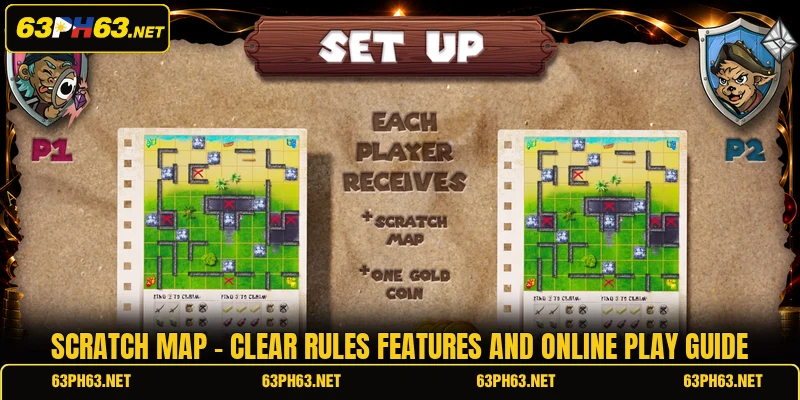
Scratch Map uses a map themed board where covered spaces reveal symbols, values, or matching paths after each selection. On 63PH, members can review the displayed rules before opening a round and checking the final result without leaving the main interface. This article is written for members who want clear instructions, better symbol reading, and a simple understanding of how each session is completed.
Scratch Map overview for basic online play sessions
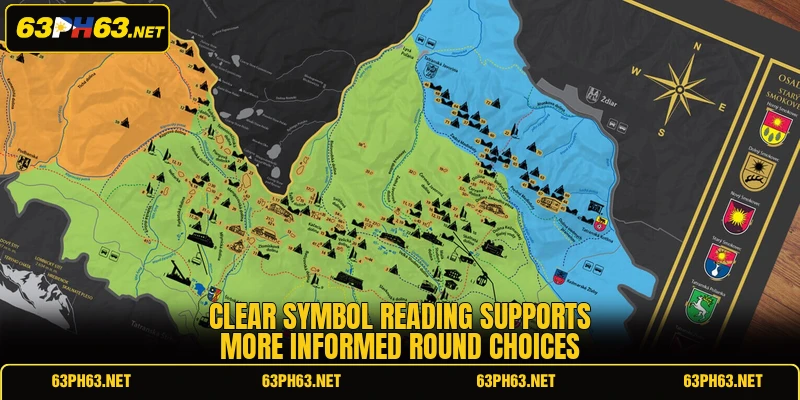
The central board presents a travel style route with covered positions arranged across several connected areas, with clear labels placed beside each region. Each round begins after a stake is confirmed, while the screen shows the available amount in PHP or USD. The version listed at 63PH also displays the paytable, button controls, and result history beside the active Scratch Map board.
Covered spaces may reveal matching icons, fixed values, route marks, or special signs depending on the rule sheet. A completed combination is checked automatically, so members can compare the outcome with the listed reward table without manual calculation. Before opening another ticket round, players should confirm the stake, ticket price, and symbol conditions shown on the screen.
How the main primary works from start
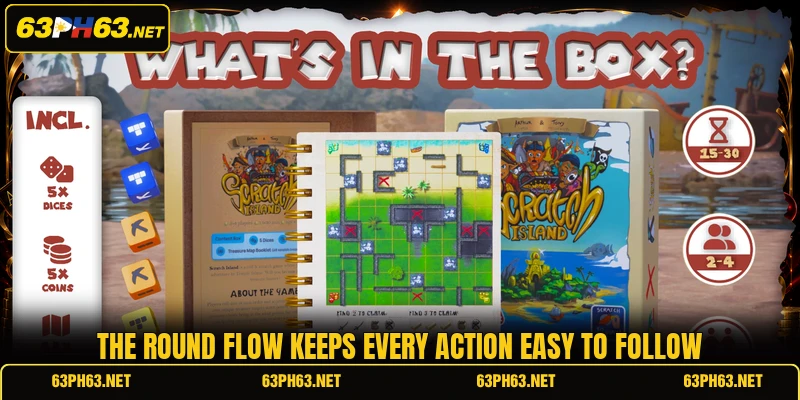
A session follows a fixed order from ticket selection to final result confirmation. Members should read every displayed condition because symbol values and winning patterns may differ between available versions.
Starting a Scratch Map round
Players first choose an available ticket and review the listed cost before confirming the entry. The chosen amount is deducted only after the round button is pressed, while the covered board then becomes active. A clear starting check prevents accidental selection of a PHP 100 ticket when a PHP 20 option was intended.
The screen usually allows members to reveal positions individually or use an automatic reveal control when available. Each opened space remains visible, which makes the route, matching set, or collected value easier to track. During Scratch Map, players should follow the shown order instead of pressing unrelated controls before the current ticket closes.
Revealing hidden map positions
Each covered position can contain a normal symbol, a route marker, a listed amount, or another game specific sign. The result becomes clearer as more spaces open, although no uncovered icon should be counted before its role is checked. Members can use the paytable beside the board to identify which combinations qualify under the active rules.
Some versions require matching several identical values, while others connect symbols across a marked path. Players should compare every revealed item with the exact conditions displayed for that ticket rather than relying on earlier sessions. A Scratch Map result is valid only after the system completes the board and posts the confirmed outcome.
Checking prizes and final records
After the last required space opens, the system evaluates all eligible symbols and shows the result. Any credited amount appears in the account balance, while the round history stores the ticket cost, final return, and settlement status for clear review after every completed ticket. Members should wait for this confirmation before starting another ticket because rapid switching can make records harder to review.
View more: Keno – Clear Rules, Number Picks, And Draw Results
The history page helps players compare recent rounds without guessing which symbol set appeared earlier. A recorded entry should show the time, stake, status, and settled amount in PHP or USD. When Scratch Map displays an unexpected result, members can save the round details and use the support channel shown in their account.
Ways to read icons and choose carefully
Better decisions come from reading the current screen correctly rather than copying a fixed pattern. The following methods focus on ticket details, symbol meaning, and result records without promising any guaranteed outcome.
Compare ticket costs before entry
Ticket prices can vary, so members should check the displayed amount before confirming any round. A lower cost option creates a different balance change than a higher entry, even when the board design looks similar. Players should also confirm whether the chosen currency is PHP or USD before pressing the final start control.
The reward table must be read together with the ticket price because displayed amounts may follow different levels. Members can compare two available tickets by checking cost, maximum listed return, and any special symbol condition. This approach keeps each Scratch Map choice connected to visible information rather than an unsupported assumption.
Read special signs in context
A special sign may act as a multiplier, route connector, instant value, or replacement symbol according to the version. Its meaning should come from the active information panel, since similar artwork can perform a different function elsewhere. Players should avoid counting a sign twice unless the written rule clearly allows that treatment.
The safest reading method is to match each sign with its exact paytable description before judging the result. Members can pause after several reveals and identify completed sets, incomplete routes, and symbols that still need another match. In Scratch Map, careful reading reduces simple mistakes when several values appear close together on the board.
Use round history for review
Round history provides a direct record of ticket cost, result status, and credited value. Members can review recent entries to confirm whether a session was settled, cancelled, or still processing. This record is more reliable than memory when several tickets are opened during one account visit through the same visible account panel.
Players can also use history to compare how different ticket levels affect total spending across a session. The goal is not to predict future symbols, because previous boards do not establish the next outcome. Instead, Scratch Map records help members verify transactions and notice any entry that needs support review.
View more Category: Arcade
Conclusion
Scratch Map offers a clear ticket process built around covered positions, visible symbols, listed conditions, and automatic result checks. Members using 63PH should read the active paytable, confirm PHP or USD values, and review each settled ticket before continuing. Register, download the app, open the game page, and may every eligible round bring a smooth experience and good luck.
